VoiceLab
A voice app that runs on your machine. No subscription.
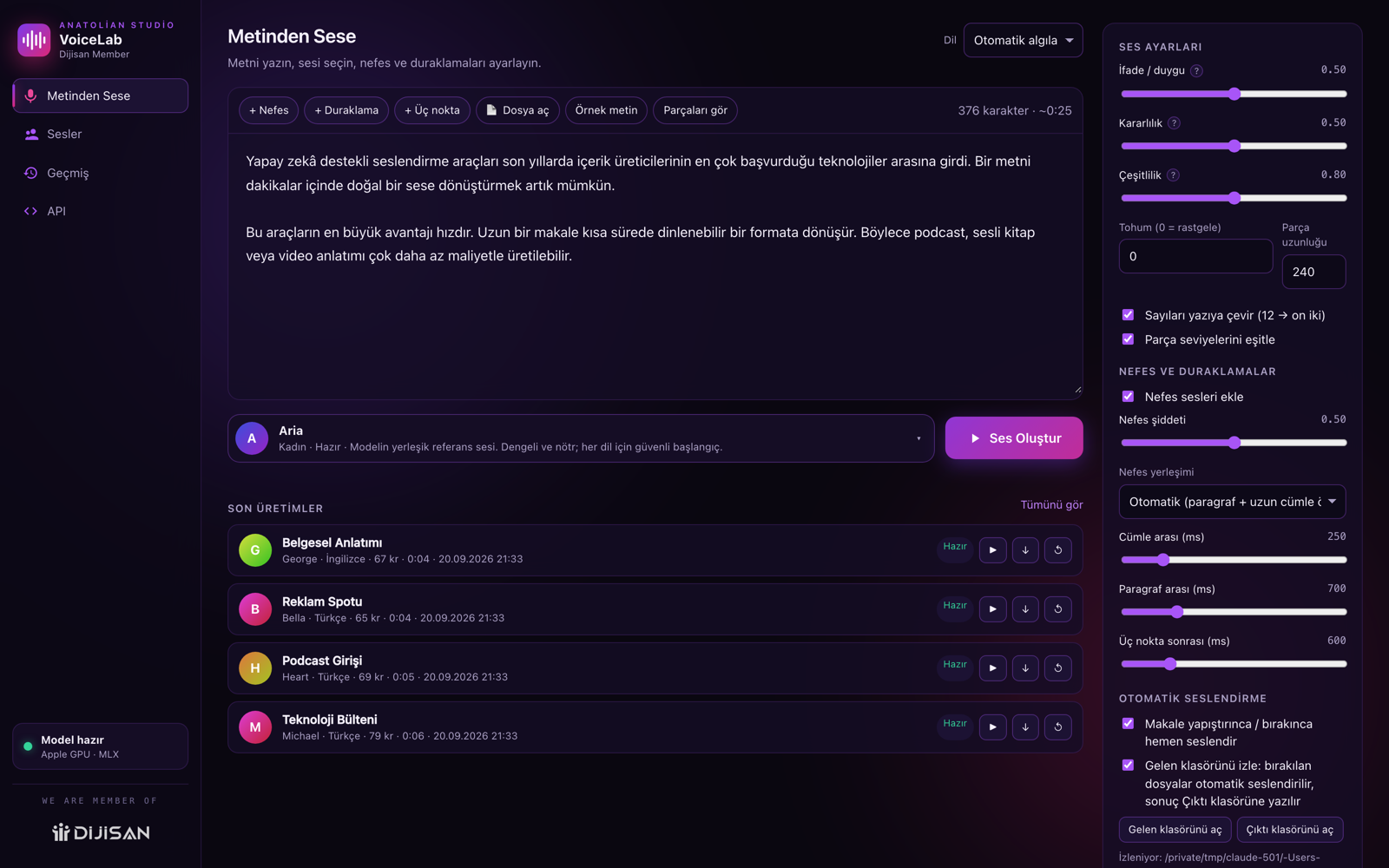
Paste your text and get a natural narration in seconds. Use one of 15 ready voices, or your own voice cloned from a 10-second recording. No quotas, no limits — after setup it does not even need the internet.
The narration in this video was generated with VoiceLab itself.
Features
No character limits, no monthly quota, no credits. Narrate as much as you want.
A clean 10-second recording is enough. Upload a file or record with your microphone.
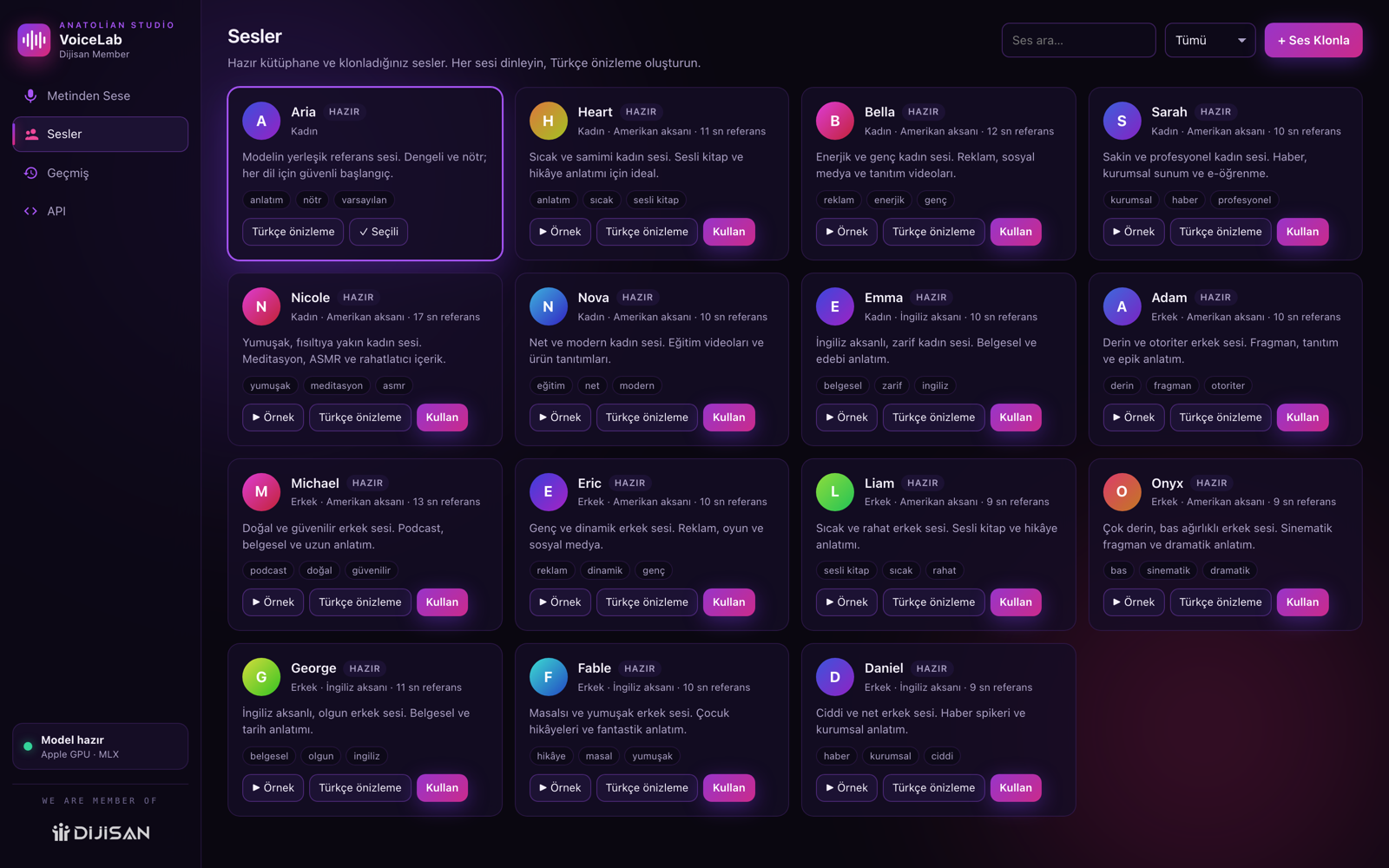
Named voices prepared for narration, ads, documentary, audiobooks and news.
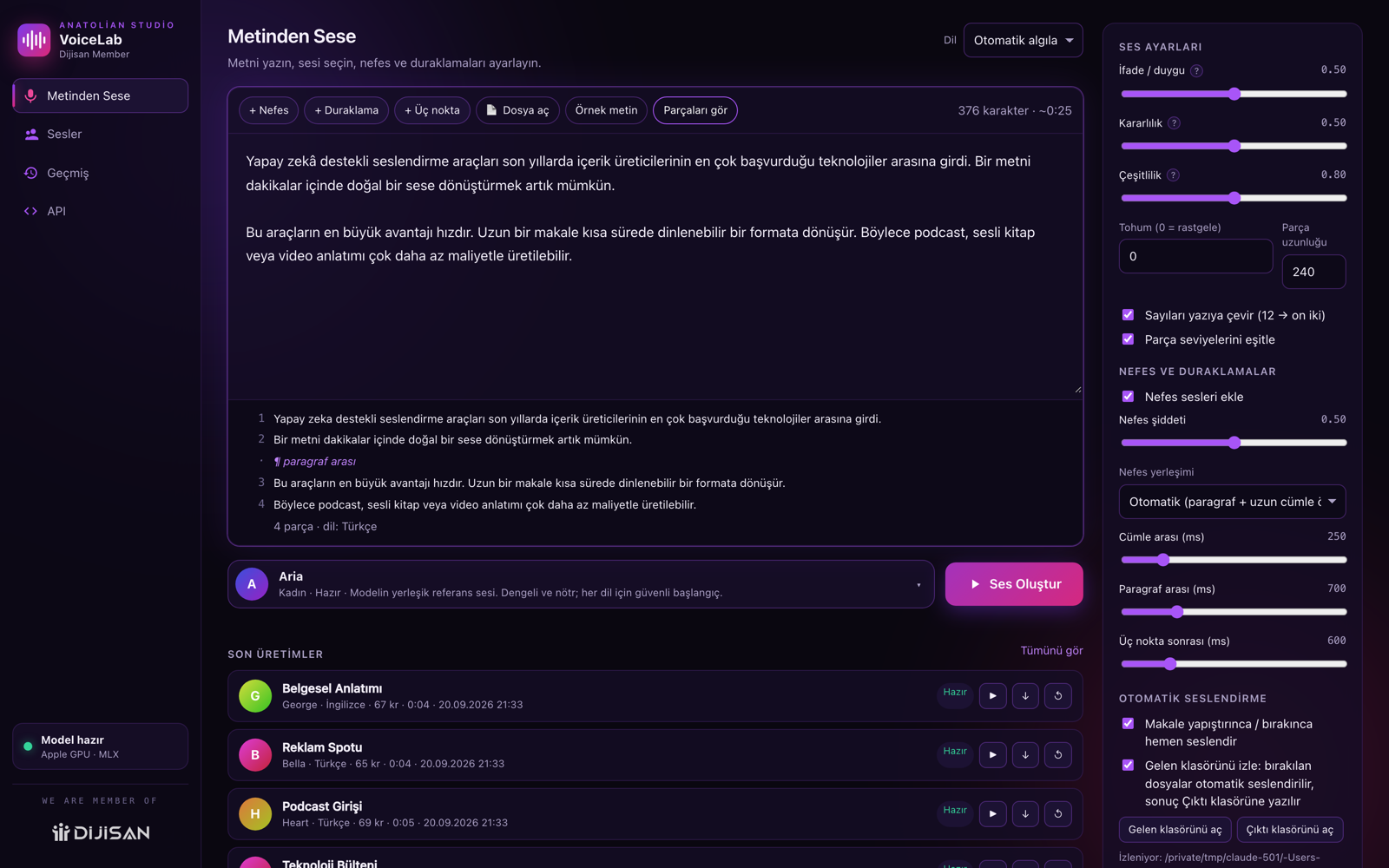
It pauses between sentences and breathes at paragraph starts. Human, not robotic.
It detects the language from your text. Turkish pronunciation is specially tuned.
Any file you drop in the Inbox folder (TXT, DOCX, PDF, HTML) is narrated automatically.
Your text and audio never leave your computer. No internet needed after setup.
Your own bots and scripts can connect to the app and generate audio automatically.
Apple GPU on Apple Silicon; NVIDIA GPU or CPU on Windows.
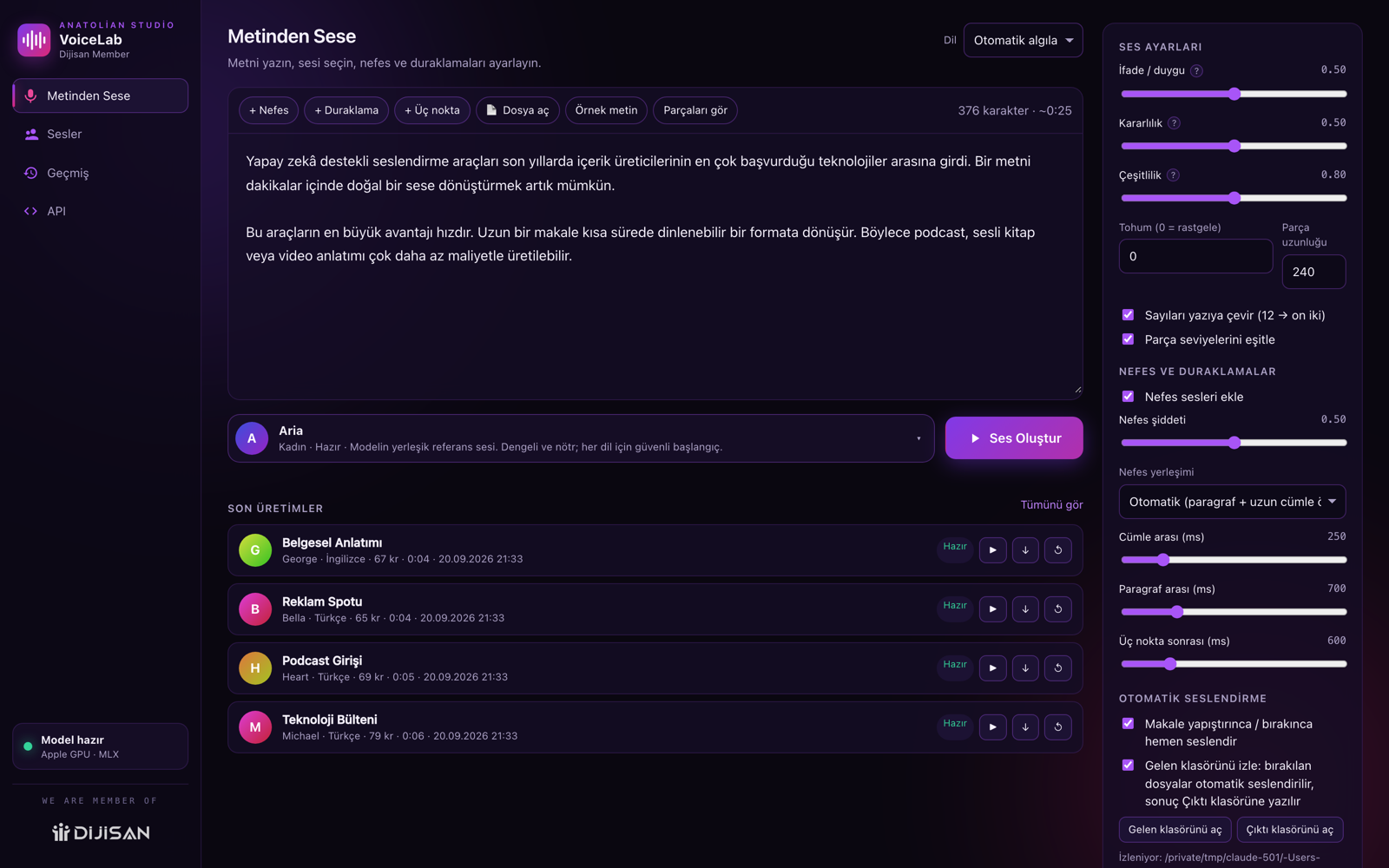

Voices
15 named voices ship with the app, prepared for narration, ads, documentary, audiobooks and news. You set speed, breath and pause for each voice, save the setting you like and keep the same tone across every project.
Voice cloning
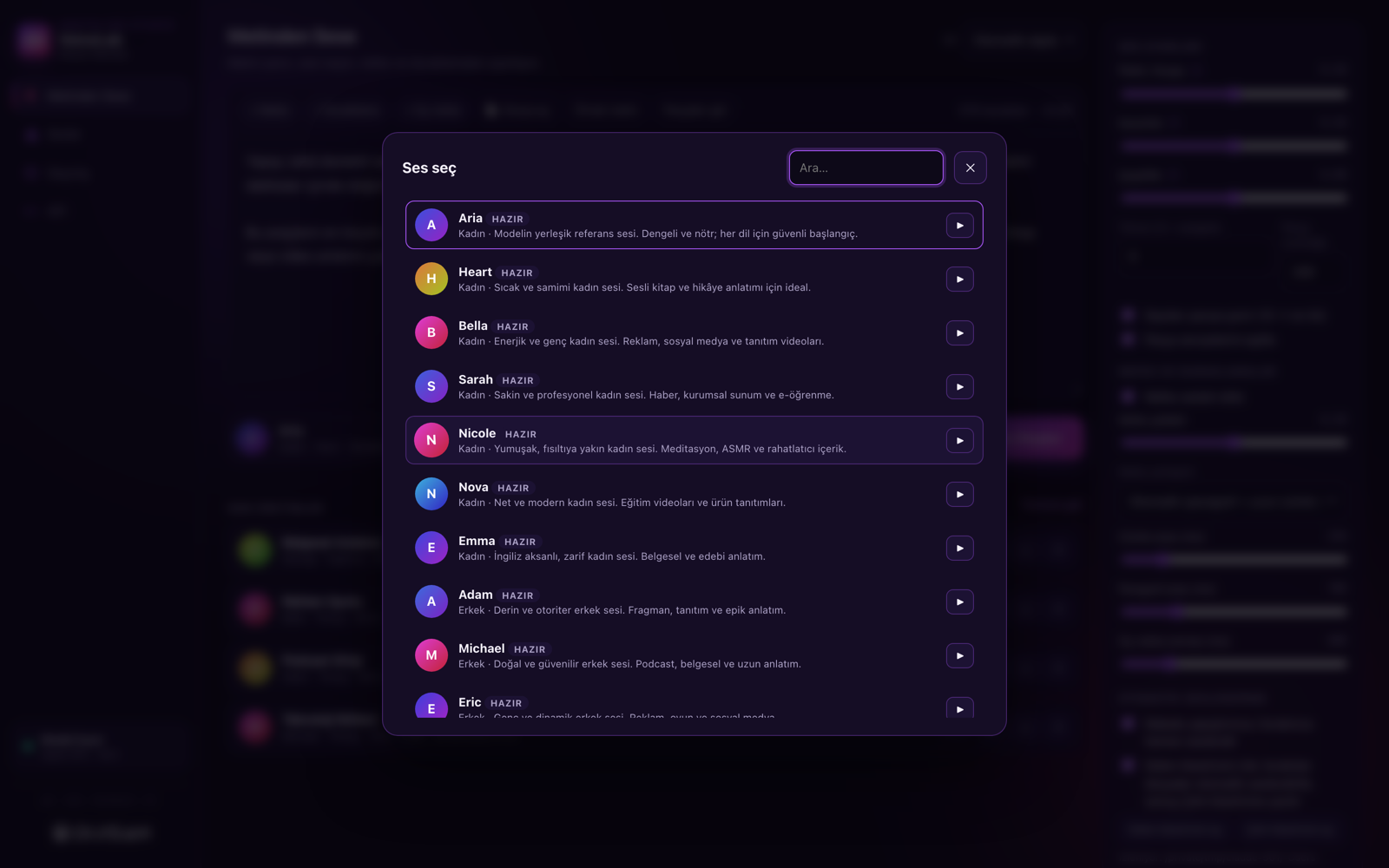
- Record or uploadA clean 10-second speech sample is enough. Record with your mic or drag in a file.
- Name itIt is added to your voice library and ready whenever you need it.
- NarratePaste your text and generate without limits in your cloned voice.
Clone only your own voice or voices you have permission to use. Tips for a clean sample: a quiet room, 15–20 cm from the microphone, normal speaking pace, no background music.
Article automation
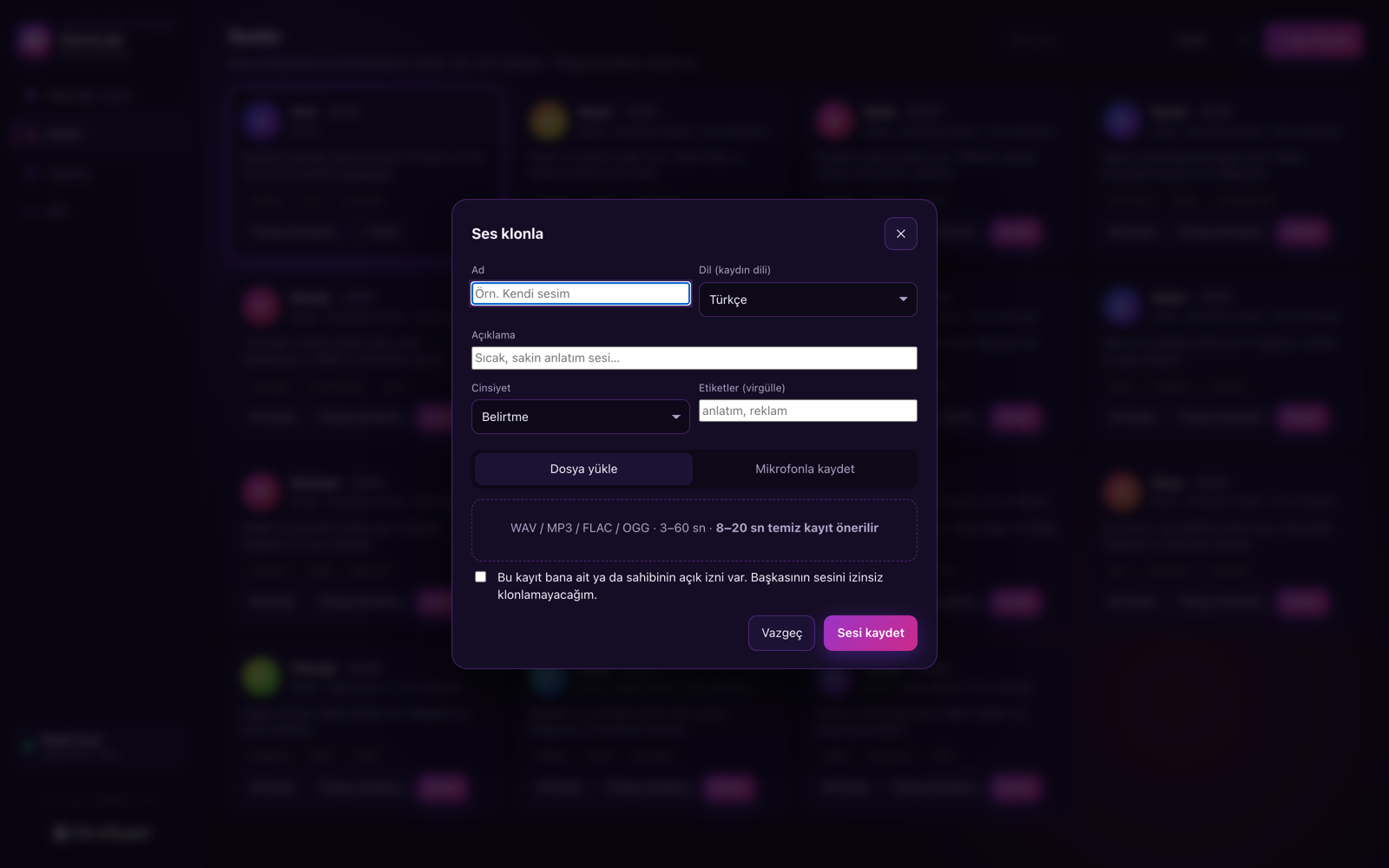
The app creates an Inbox folder on your computer. Every file you drop in (TXT, DOCX, PDF, HTML) is narrated automatically and lands in the Output folder as WAV/MP3. Long articles are split into paragraphs and rendered piece by piece, so the tone stays consistent.
23 languages
The app detects the language from your text — nothing to configure. Turkish pronunciation is specially tuned: the dotted capital I and circumflex letters are read correctly. For the most natural Turkish result, clone your own recording.
Local API
VoiceLab runs a small local service on your computer. Your own programs, bots or automations can connect to it and generate audio — without going online and without quotas. The API tab inside the app shows the address, an example request and your key.

Pricing
- Unlimited characters and unlimited audio
- Unlimited voice cloning
- 15 ready professional voices
- 23 languages
- WAV and MP3 output
- Article automation (Inbox folder)
- Local API access
- Mac and Windows installers
- One licence for one computer (transferable)
- Lifetime use, future updates included
If you have a campaign code, type it here; the discount is applied automatically and the checkout shows the reduced total.
Payments are handled by our Merchant of Record, Paddle. After purchase your licence key is emailed to you and shown on your Account page. Account
Audio is generated entirely on your own computer. Your generation speed depends on your hardware.
Rough expectation: on Apple Silicon and NVIDIA machines one minute of audio takes about 30–60 seconds; on Windows machines using the CPU only, about 3–6 minutes.
Install
Unzip and click a single file — the app icon on Mac, "Kur (Windows).bat" on Windows. The program first checks your computer (CPU, memory, GPU, free disk), tells you whether it is suitable, shows the expected speed, then installs everything itself and opens the app. After that, one click opens the app directly.
On first launch the speech model is downloaded to your computer (~3.5 GB, one time). After that no internet is needed. Enter your licence key on the app's licence screen → Activate.
Minimum system requirements
| Windows | macOS | |
|---|---|---|
| System | 64-bit Windows 10 / 11 | Apple Silicon (M1, M2, M3, M4) · macOS 12+ |
| Memory | 8 GB (16 GB recommended) | 8 GB (16 GB recommended) |
| Disk | 12 GB free space | 12 GB free space |
| GPU | NVIDIA recommended, CPU otherwise | Apple GPU (built in) |
| Not supported | 32-bit Windows | Intel-based Mac |
Rights, usage and policies
The audio you create is yours
You own every file you generate with VoiceLab. Commercial use is allowed: videos, ads, audiobooks, podcasts and client work. We claim no rights over your output, take no royalties and require no attribution.
Voice cloning requires permission
Clone only your own voice or the voice of someone who has given you explicit permission. A person's voice is part of their personal rights; cloning it without consent is unlawful and the responsibility is entirely the user's. Do not use the voice of celebrities, voice actors or acquaintances without permission.
Prohibited uses
- Impersonating someone or putting statements in their mouth
- Fraud, fake identity verification, voice phishing (vishing)
- Misleading news, defamation, harassment or hateful content
- Associating a person with a product or opinion they have not endorsed
- Any use that breaks applicable law
If such use is detected, the licence is revoked without a refund.
Licence scope
- Single-user lifetime licence — no time limit
- Runs on one computer at a time; you can move it to a new machine
- Sharing, selling or redistributing your licence key is prohibited
- Reverse engineering, copying or redistributing the app is prohibited
- Future updates are included at no extra cost
Licence security
Your licence key is personal and bound to a single computer. After 3 invalid licence attempts in a row a security lock kicks in: the installation is locked, local licence data is deleted and the app must be downloaded and installed again. Repeated failures from the same computer also disable activation on our server for a while. Sharing, selling or copying your key leads to the licence being revoked.
Privacy
Your text, recordings and generated files never leave your computer. Only your email address, licence key and device id reach our servers, solely to verify the licence. The speech model is downloaded from Hugging Face during setup; we store no audio data. Details: Privacy Policy.
Payment, refunds and support
Payments are handled by our Merchant of Record, Paddle; your card details never reach us. You can request a refund within 14 days of purchase (Refund Policy). Please check the system requirements before buying; generation speed depends on your hardware. Full terms: Terms of Service · support.
Frequently asked questions
Is it really unlimited?
Yes. Audio is generated on your own computer, so it costs us nothing. There are no character, minute or credit limits. The only limit is your machine's speed.
Is there a monthly fee?
No. You pay $30 once and the licence is valid for life. No subscription, no renewal, no hidden fees.
Do I need internet?
Only during setup and the first licence activation. After that the app works fully offline.
Where does my text go?
Nowhere. Your text, recordings and generated files never leave your computer.
Which computers are supported?
Apple Silicon Macs (M1 and newer) and 64-bit Windows 10/11. On Windows an NVIDIA GPU is used when present, otherwise the CPU. Intel-based Macs are not supported.
How much space does it need?
12 GB free space for installation; once installed, the app, its Python environment and the speech model take about 6 GB.
How fast is it?
On Apple Silicon one minute of narration takes about 40 seconds. Similar on Windows with an NVIDIA GPU, slower on CPU only.
Can I clone my own voice?
Yes, a clean 10-second recording is enough. Only clone your own voice or voices you have permission to use.
Can I move my licence to another computer?
Yes. Remove the licence in the app on the old computer, then activate with the same key on the new one. The licence works on one computer at a time.
How good is Turkish pronunciation?
Turkish pronunciation is specially tuned: the dotted capital I and circumflex letters are read correctly. For the most natural result, clone your own Turkish recording.